Design Manual
The 7 basic points to have your parts ready for our configurator:
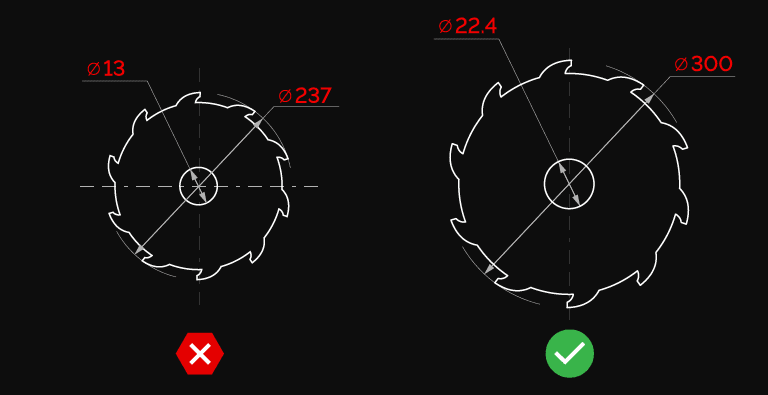
Scale
Your part must be at the exact size you want it to be cut (1:1 scale). If you need a different size, adjust the height and width directly in the configurator. This option is available only for 2D formats. For other formats, adjust the dimensions in your CAD software. Make sure your file is uploaded in millimeters (mm).
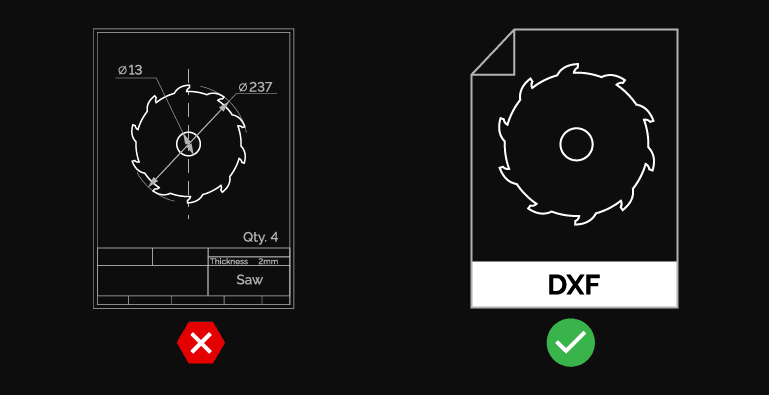
Content
Your file must contain only the cutting lines and paths and a single part design per file. To get an accurate price for your parts, your design should be free from dimensions, notes, edges, and objects that shouldn’t be fabricated.
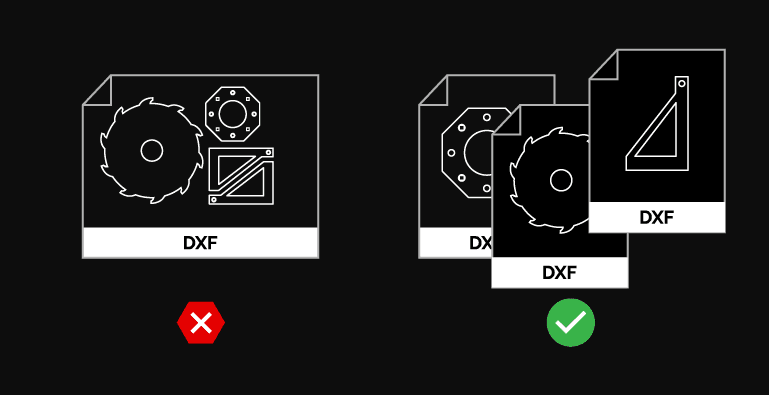
One Part Per File
Each file must contain exactly one part. Multiple designs in a single file are not allowed and must be submitted separately.
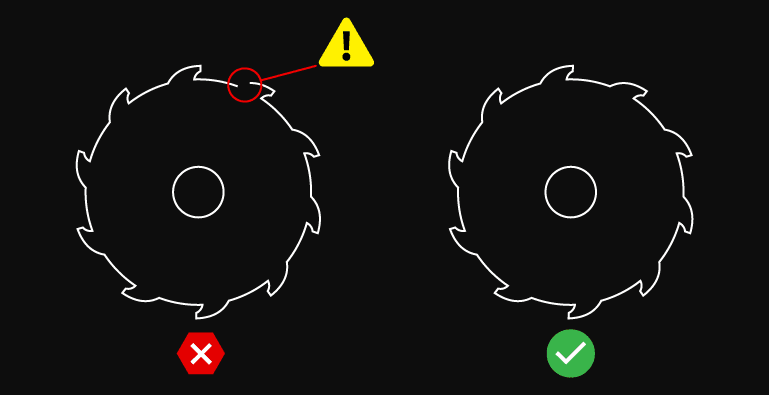
Strokes
Your designs should be free of open endpoints and intersections. Our process treats all lines in your design as cuts, so an open area will lack a complete cut, and an area with intersections will result in excess cuts.
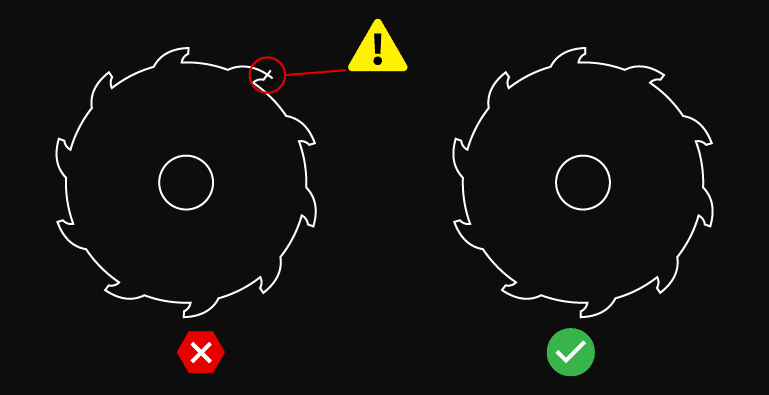
Intersections example
Make sure your designs don’t contain any of these elements unless they are absolutely necessary.
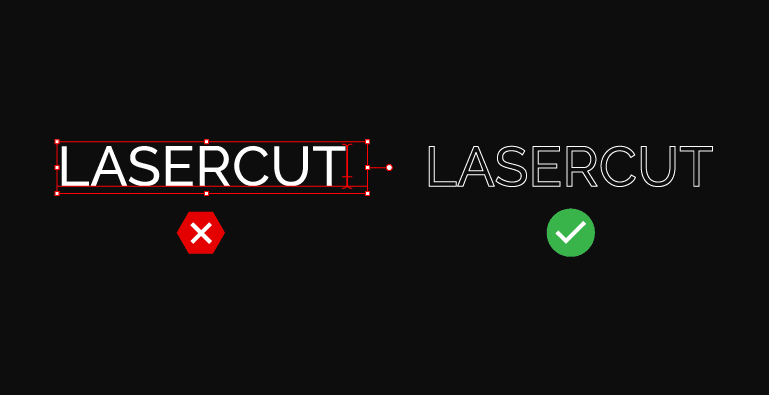
Texts
There are fantastic fonts out there, but we don’t have all existing typefaces on our cutting machines. To prevent any misinterpretation of your text, we need you to convert the text to outlines.
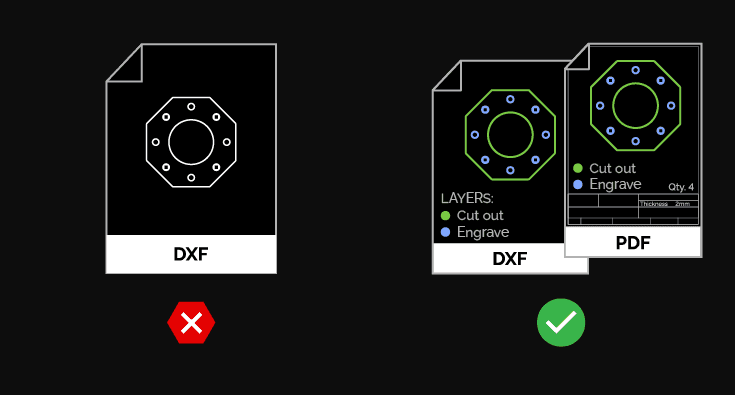
Engraving
Engraving is possible, but every engraved feature must be unambiguously and bindingly defined in a technical PDF drawing. The drawing must contain the exact labelling, description and position of all engraved features (lines, holes, text, etc.). The DXF file is intended exclusively for cutting — without a clear specification in the technical documentation, engraving will not be performed.
Question about file preparation?
We'll help you prepare your file correctly — contact us for guidance on format, scale and content.